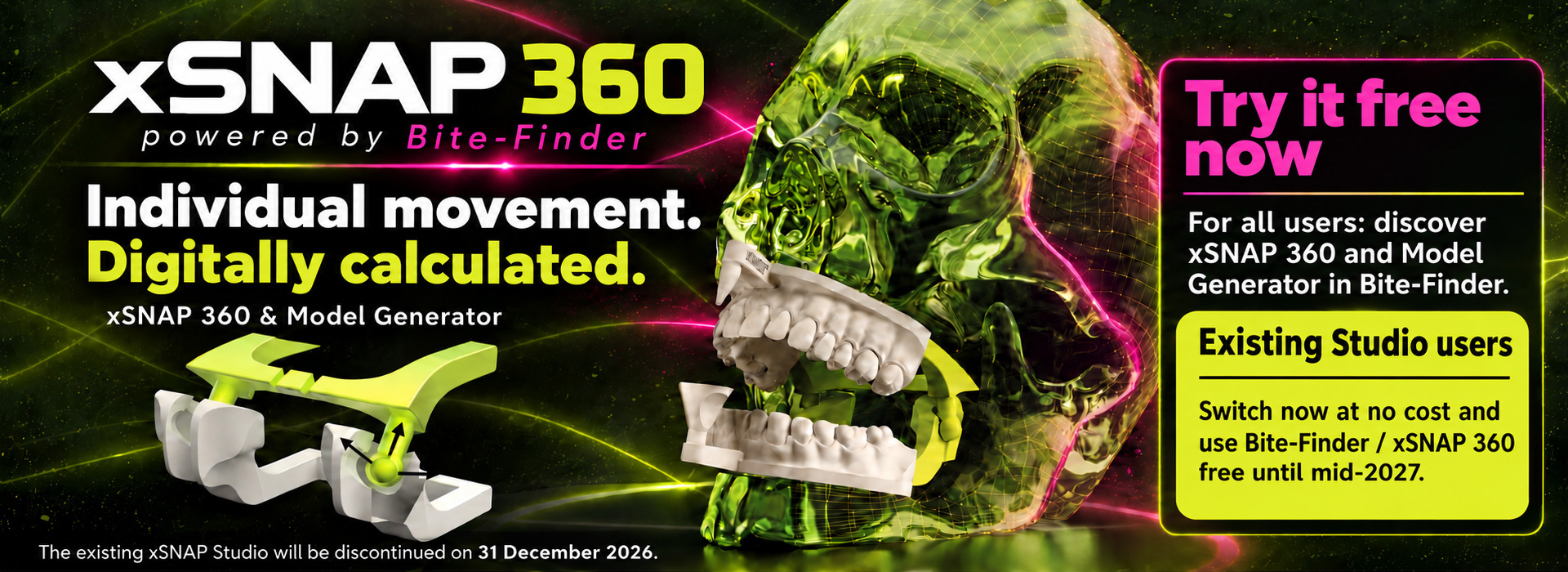
xSNAP 360 · powered by Bite-Finder
Together with the updated Model Generator, this creates a connected workflow: from digital scans, bite alignment and motion calculation to a printable model with an integrated articulator.
Try it free now
Your patient case. Your motion paths. Your printed articulator.
xSNAP 360 combines Bite-Finder’s digital motion calculation with an individual, patient-specific articulator for 3D printing. Calculated jaw movements are transferred to the model’s joint system so that they can be reproduced on the printed model.Together with the updated Model Generator, this creates a connected workflow: from digital scans, bite alignment and motion calculation to a printable model with an integrated articulator.
Try it free now
How the workflow works
01
Find the bite
Bite-Finder analyses digital upper and lower jaw models and uses artificial intelligence to support correct bite alignment.02
Calculate individual jaw movements
Bite-Finder uses artificial intelligence to calculate patient-specific motion paths from digital jaw models. This Jaw Motion enables digital simulation of dynamic occlusion.03
Activate xSNAP 360
Select the xSNAP 360 configuration and start processing. Bite-Finder creates printable models with an integrated joint system based on the calculated Jaw Motion.04
Create, print and move your models
Create your 3D models directly in Bite-Finder with Model Generator. After printing, the integrated xSNAP 360 joint guides the models along the individually calculated motion paths.Individual function rather than standard average values
xSNAP 360 provides patient-specific movement guidance. Its specially developed joint transfers the Jaw Motion calculated by Bite-Finder to the physical model, allowing you to reproduce the digitally simulated movements on the printed upper and lower jaw models.Inside the new Bite-Finder software
Check, clean and align your scans
Prepare your digital upper and lower jaw scans directly in Bite-Finder. The software provides tools for quality checks, trimming scan margins and spatial alignment of models.Review scan quality
Mesh Report displays scan quality checks and highlights areas that can be inspected before further processing.Clean up scan margins
Scan Cleaning lets you trim excess areas along a cutting line. The illustrated interface provides automatic and manual scan preparation tools.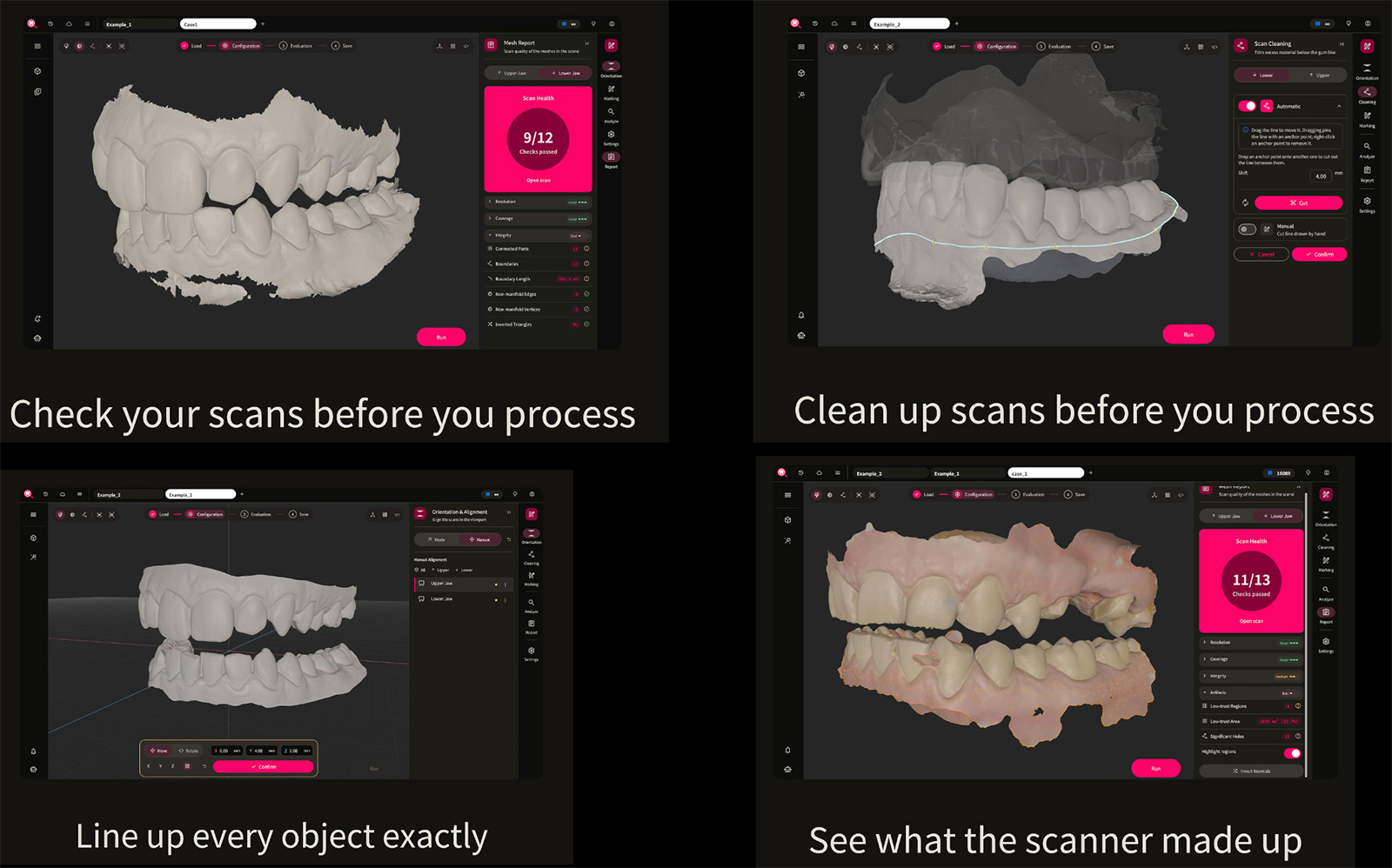
The new interface brings together key scan preparation steps
Align models in space
Orientation & Alignment lets you adjust the position and orientation of upper and lower jaw scans in the workspace.Identify areas for review
Colour highlights reveal low-confidence regions and potential scan artefacts so these areas can be checked.Configure your 3D model with xSNAP 360
Model Generator combines model creation with the integrated xSNAP 360 joint system. The preview shows upper and lower jaws with their joint components, with model settings accessible alongside.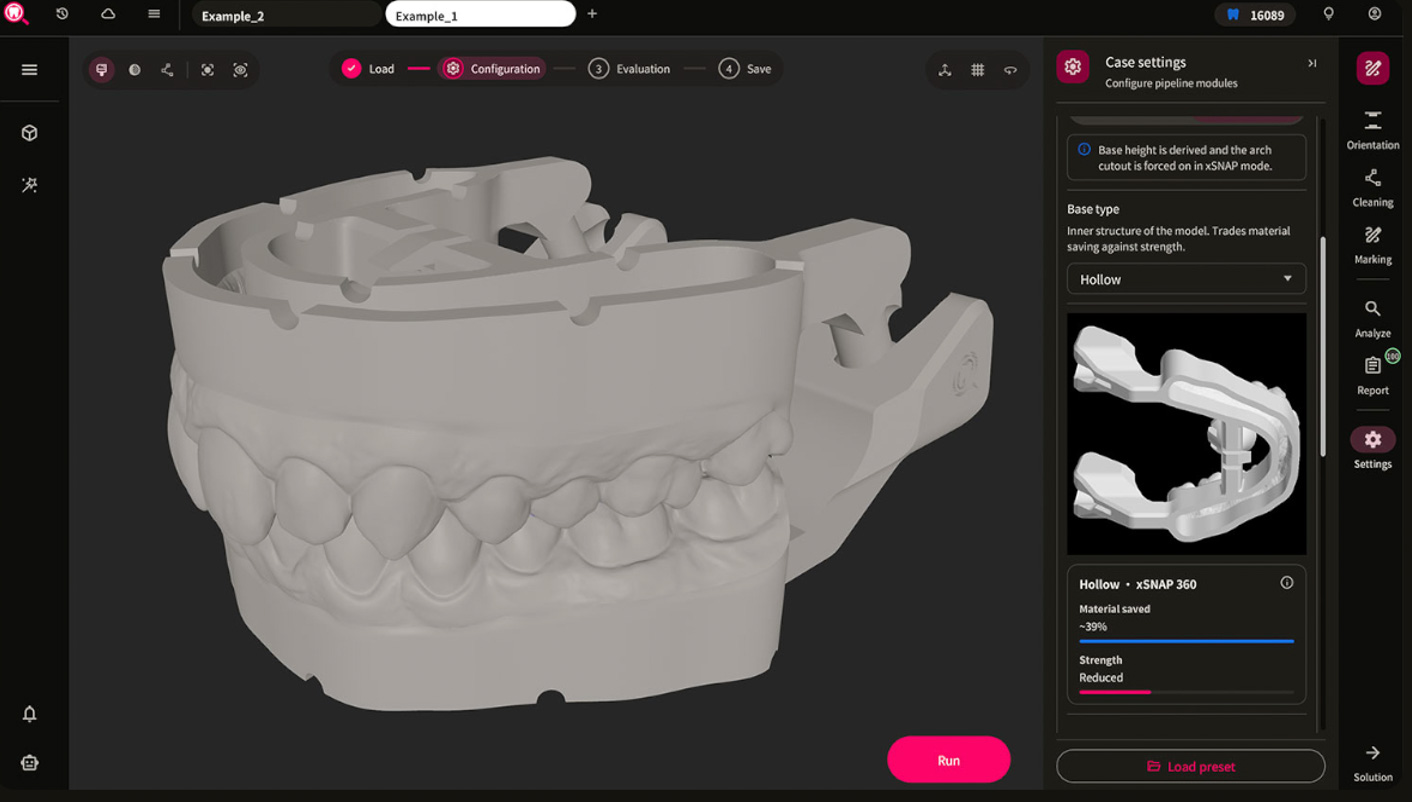
Model configuration in Bite-Finder: xSNAP 360 with the Hollow base structure selected in this example.
Choose a model structure for your printing workflow
The illustrated configuration uses the Hollow base type. The software presents information on material consumption and strength so you can consider both when selecting a model structure.From calculated movement to a printed model
Individual xSNAP 360 joint paths are based on Jaw Motion calculated by Bite-Finder. Configuration and processing produce a model with an integrated articulator for your 3D printing workflow.xSNAP 360 and Model Generator - try them free now
The updated features are available to try free now. Explore the workflow, create your own models and experience digital calculation brought to life in print.Try it. Print it. Move it.
Try it free now
Existing Studio customers: switch now and enjoy extended free use
The existing xSNAP Studio will be discontinued on 31 December 2026. After that, individual xSNAP 360 joint paths and their corresponding 3D models will be created exclusively in Bite-Finder.Existing xSNAP Studio customers with xCOINS or an xCOIN Ultimate version can switch now at no cost and use Bite-Finder / xSNAP 360 free until mid-2027 as part of our transition promotion.
For help with switching and activation, contact our team at info@bite-finder.com.
Enquire about switching
Flexible options for new customers
For regular use, choose a Bite-Finder package that suits your case volume and add the xSNAP 360 option. Current packages and prices are available directly from Bite-Finder.View packages and pricing
Frequently asked questions about xSNAP 360

Yes. All users can now try the new xSNAP 360 version and Model Generator in Bite-Finder for free.
Existing xSNAP Studio customers with xCOINS or an xCOIN Ultimate version can switch now at no cost and use Bite-Finder / xSNAP 360 free until mid-2027 as part of our transition promotion.
The existing xSNAP Studio will be discontinued on 31 December 2026. After that, individual xSNAP 360 joint paths and their corresponding 3D models will be created exclusively in Bite-Finder. You can switch now.
Joint guidance is based on patient-specific motion paths calculated by Bite-Finder and transferred to the printed model.
Our team at support@x-snap.net can help with switching and activation.